Shortcode Inbox SMS Webhook
We use HTTP callback (webhook) to forward incoming inbox messages directly to your application. If you do not have any SMS Shortcode, click here to learn more.
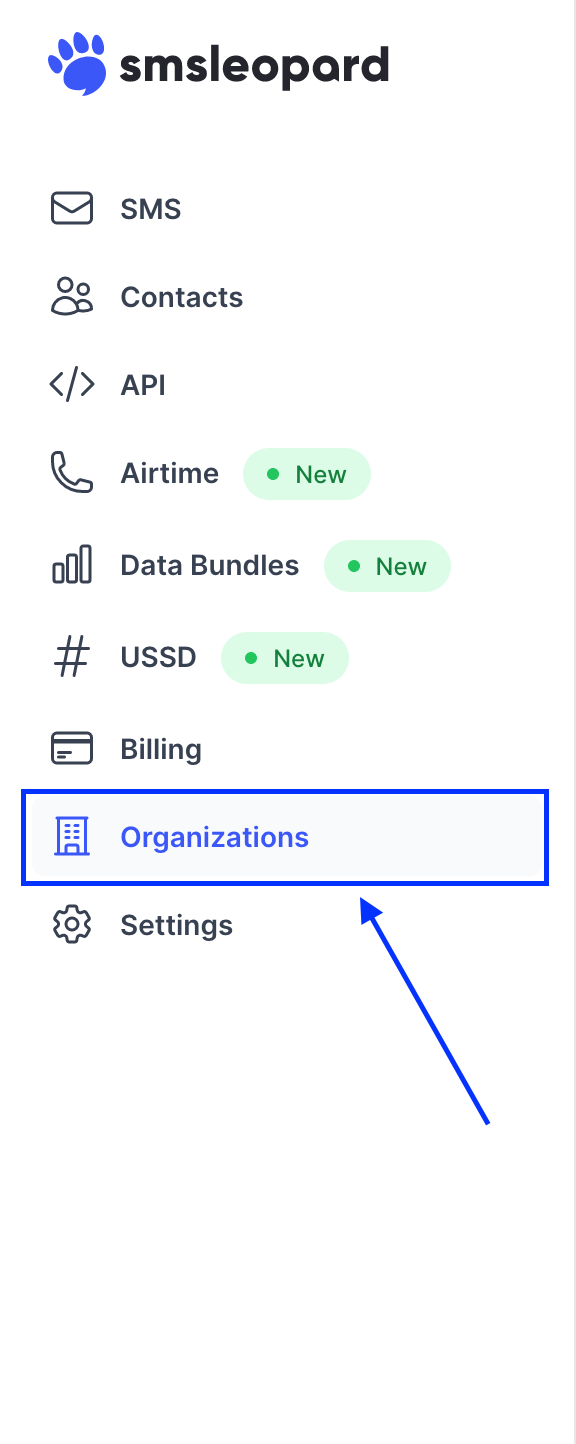
Click organizations (business account) from the navigation menu
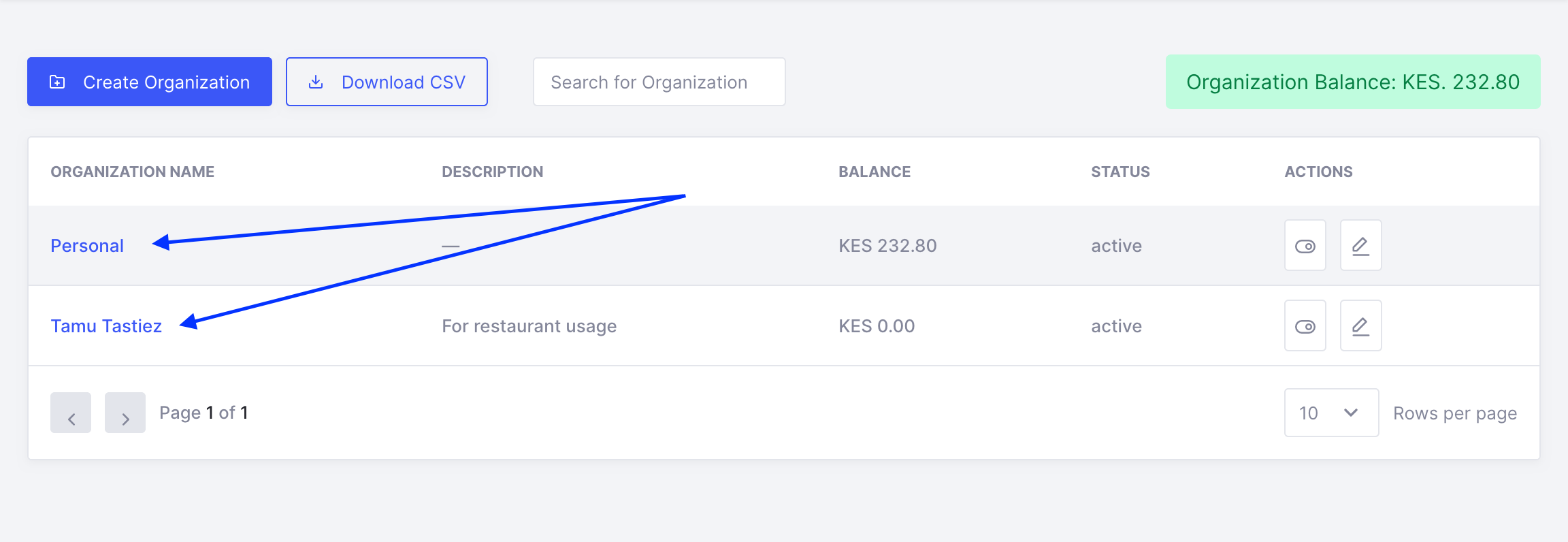
Click an organization/account assigned to short code of interest.
Click on the short codes tab.

Click on the edit button.

Provide your forwarding url and submit.

Example JSON payload
{
  "id": 121,
  "api_date": "2021-04-10T15:04:00Z",
  "insert_date": "2021-04-10T15:05:00Z",
  "message": "Greetings, I’m happy to be here!",
  "sender": "+254700000002",
  "short_code": "110011",
  "retries": 0
}| id | Unique id for the inbox message. |
| api_date | Time the message reached SMSLeopard (RFC 3339). |
| insert_date | Time the message was saved (RFC 3339). May include fractional seconds and a UTC offset. |
| message | Received message. |
| sender | Sender phone number. |
| short_code | Shortcode that received the message. |
| retries | Number of retries at forwarding the inbox message. |
Endpoint requirements
Your forwarding URL must:
- Accept an HTTP
POSTwith a JSON body, sent with the headersContent-Type: application/jsonandUser-Agent: SMSLeopard. - Return a
2xxstatus, such as200 OK, within 10 seconds. Any other status, a redirect, or no reply counts as a failure. - Use a publicly reachable
httporhttpsURL. Forhttps, the server must present a valid certificate with its full chain, including intermediate certificates. Browsers often fill in a missing intermediate, so a URL that opens in a browser can still fail here. - Not block requests from servers. A firewall or bot filter that only allows browsers will reject callbacks.
Failed deliveries are retried with an increasing delay, up to 7 attempts per message. The retries field in the payload tells you which attempt you are receiving.
Test your endpoint before saving it:
curl -i -X POST https://example.com/your-callback \
  -H "Content-Type: application/json" \
  -H "User-Agent: SMSLeopard" \
  -d '{"id":1,"message":"test","sender":"+254700000000","short_code":"TEST","retries":0}'
You should get a 2xx response with no certificate error. To check the certificate chain, run your domain through SSL Labs and make sure it does not report “Chain issues”.
Troubleshooting failed deliveries
Recent delivery attempts and their errors are listed under Recent deliveries on the short code.
| Error | Meaning |
|---|---|
callback TLS certificate not trusted (incomplete chain or unknown issuer) | Your server’s certificate chain is incomplete or not issued by a trusted authority. Install the full chain. |
callback TLS certificate does not match host | The certificate is for a different domain than the forwarding URL. |
callback TLS certificate invalid or expired | The certificate is expired or otherwise invalid. |
callback request failed | The secure connection or the request failed for another reason. |
callback request timed out | Your endpoint did not reply within 10 seconds. |
callback connection failed | We could not connect: the server is down, the port is closed, or a firewall blocked us. |
callback DNS unavailable | The domain name in the forwarding URL does not resolve. |
callback address is not public | The domain resolves to a private or internal address. |
invalid callback URL | The URL is malformed, or uses an unsupported scheme, port, or credentials. |
HTTP 403, HTTP 500, … | Your server or firewall answered with that error status. |
delivery expired after 7 days | The message could not be delivered within 7 days. |